
Easing curves
Apply to Start, End, or All keys - Position, Scale, Rotation, Opacity - In, Out, or All.
- Linear
- Bezier
- Smooth
- Soft
- Natural
- Punchy
- Snappy
- Whip
- Bounce strength
- Overshoot strength
- Spring strength

Animation curves, keyframe helpers, text and layout tools, colour palette, and quick frame or GIF export - a free toolkit that lives in After Effects. No Keyweaver Credits required.
How it works
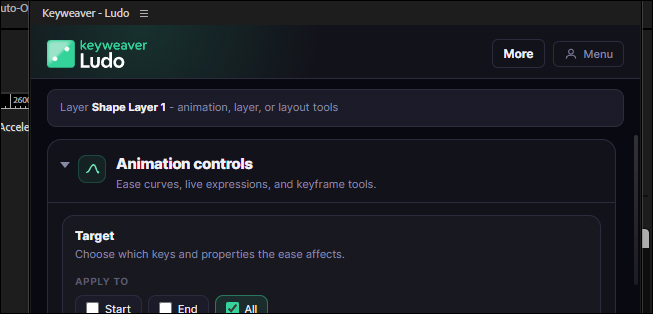
Install from Keyweaver Manager, then open the panel in After Effects.
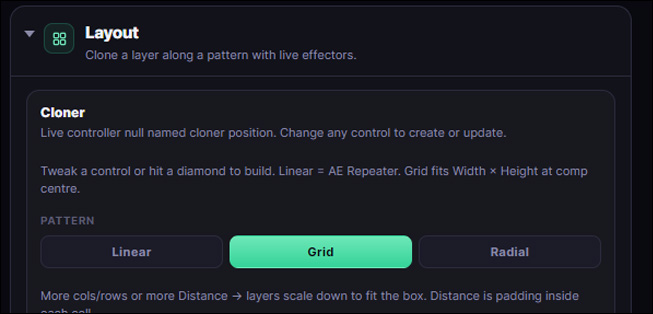
Animate layers, stagger keys, split text, clone layouts, sample colours, or export a frame.
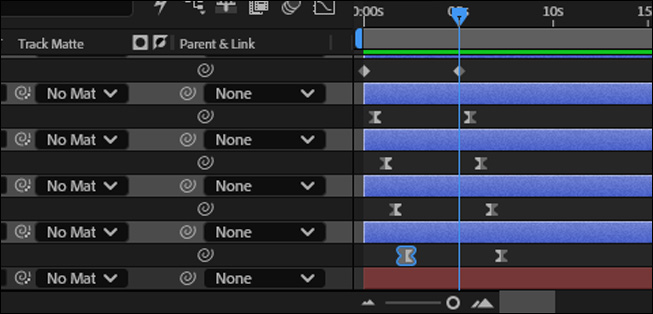
Everything writes to AE properties and layers - no opaque black boxes.
Features
Easing, strength, stagger, align, reverse, distribute, and mirror across selected keys.
Split characters, typewriter-style tools, stroke boxes, cloner, and effectors.
Save swatches, sample from the comp, and apply to text, solids, shapes, and lights.
Export frames or a work-area GIF without digging through the Render Queue.
Full toolkit
Hover any tool to preview it - the same micro-animations as in the Ludo panel.
Apply to Start, End, or All keys - Position, Scale, Rotation, Opacity - In, Out, or All.
Multi-layer selected keys - with stagger gap control (0-24f).
Duration 6-60f · Amount 10-100% · Clear layer animation · Physics + Collider.
Transitions in
Transitions out
Looping (stackable)
Physics
Split chars · Split + precomp · Stagger in-points (0-12f gap) · Match all text to selection.
Animate on (stackable)
Text box
Live driver null with Expression Controls · Open Effect Controls · Arrange selected in grid.
Patterns
Effectors (On · Reverse · Amount)
Saved swatches · Add · Apply · Sample.
Still frame or animated GIF from the work area - no Render Queue dig.
Still frame
GIF
Ludo does not use Keyweaver Credits. Open via Window → Extensions → Keyweaver - Ludo.
FAQ
No. Ludo does not draw from your Keyweaver Credits balance.
Eleven easing curves, layer transitions and loops, text animate-ons, cloner patterns and effectors, keyframe tools, colour palette, frame and GIF export.
Download Keyweaver Manager for Windows or macOS, open the After Effects tab, then click Install on Ludo in the catalog.
Also in Keyweaver
Install with Keyweaver Manager on Windows or macOS.