AI transcribes your audio, builds native AE text layers, and syncs every caption to the frame. No round-tripping. No copy-paste. Works entirely inside After Effects.
Guest trial in the panel · Sign up free for 40 shared Keyweaver Credits · How it works
Cuemark by Keyweaver · After Effects 2022+
How it works
Generate in three steps
Everything happens inside After Effects. No browser tabs, no exports, no re-linking.
01
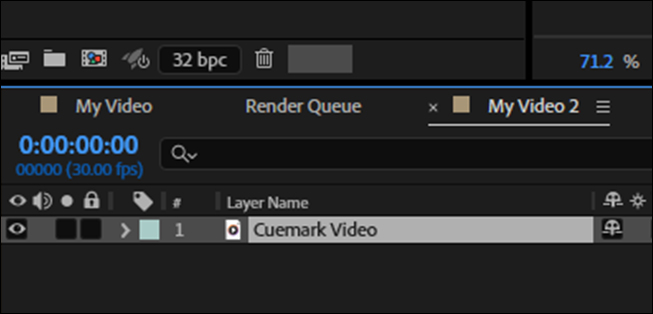
Open your edit comp
Open the composition with your video or audio in After Effects. Cuemark reads layers in the active comp and shows credit cost before you transcribe.
02
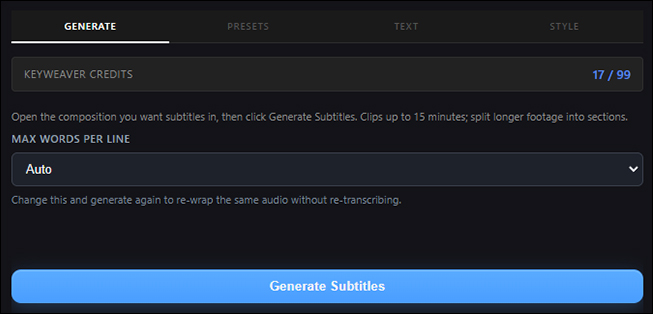
Generate Subtitles
One click transcribes your audio in the cloud. Word-level timestamps come back and are cached for free re-wraps and style changes.
03
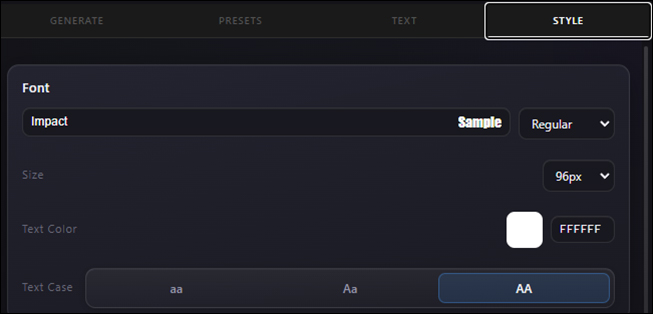
Style in the panel
Native AE text layers land in your timeline - timed, editable, with presets and animations applied from the Cuemark panel.
Style library
Caption presets, built in After Effects
Every preset is a real AE style - font, colour, animation, and background. Change anything in the Style tab after applying.
Make it yours
Total control over every caption
Start from a preset, then change anything. Your fonts, your colours, your look - applied as real After Effects layers you can keep editing.
Use your own fonts
Apply any font installed on your system - brand typefaces, custom display fonts, anything After Effects can render. Set weight and size to match your project.
Custom colours
Pick exact text, background, and highlight colours. Match a brand palette or a video's grade - nothing is locked to the preset you started from.
Backgrounds & shapes
Add a pill or box background behind captions, or turn it off entirely. Control padding and opacity so text stays readable over any footage.
Position & alignment
Place captions where you want them - top, centre, or lower third - with alignment and size controls that update live on the timeline.
Edit text & punctuation
Fix transcripts line by line in the Text tab - wording, casing, and punctuation - before applying. The AI gets you 95% there; you polish the rest.
Export anywhere
Need captions outside After Effects? Export to SRT, VTT, or CSV for YouTube, social platforms, or your review workflow.
Re-style any time, free
Your transcript is cached, so changing fonts, colours, presets, or re-wrapping lines costs no extra credits. Experiment until it's right.
Word-level highlights
Highlight the active word as it's spoken with spotlight, karaoke, and impact styles - the punchy look short-form viewers expect.
Motion library
Caption animations, word by word
Character and word-level motion - spotlight, karaoke, typewriter, and more. Apply from the Style tab after generating subtitles.
Pricing
Start free, grow as you need
Credits are shared across the Keyweaver platform. 1 credit = 1 minute of transcription.
Free
£0
Guest trial in the panel · 40 shared credits when you verify your account.